Editable vs Image-Based PowerPoint: Export Tradeoffs
An editable PowerPoint file is the useful handoff when a colleague needs to rewrite a heading, change a number or rearrange a table. An image-based PowerPoint file is useful when the slide's captured appearance matters more than editing its individual elements. Both use the .pptx extension; the extension alone does not tell you what the recipient can change.
SlidesMate offers PowerPoint (Editable) and PowerPoint (Pixel-perfect). The latter is image-based. Its name describes the intended visual result, rather than a guarantee across every screen, capture or application. This article compares the exported contents and the checks worth making before sending a deck. For the download controls and troubleshooting steps, use export help.
What changes inside the PowerPoint file?
The editable exporter rebuilds supported slide layouts with PowerPoint text boxes, shapes, tables and separate pictures. The image-based exporter puts a full-slide captured picture on each PowerPoint slide. In that file, a heading is part of the picture rather than a separate text box.
| Content | PowerPoint (Editable) | PowerPoint (Pixel-perfect) |
|---|---|---|
| Titles and body text | Separate text objects that can be revised | Pixels inside the slide picture |
| Shapes and metrics | Supported layouts become native shapes and text | Part of the slide picture |
| Tables | Native PowerPoint tables from structured table content | Part of the slide picture |
| Photos | Separate pictures in supported layouts, subject to image loading and source restrictions | Included when present in the capture |
| Speaker notes | Stored from the slide's notes field | The current exporter does not add speaker notes |
| Fonts | Named font families; font files are not embedded by this exporter | Captured letterforms stay inside the picture |
| Layout | Reconstructed using supported layout builders | Captured browser appearance, subject to capture limitations |
“Editable” describes the objects produced. It does not mean every browser effect, custom layout variation or visual detail has a corresponding PowerPoint object. Equally, an image-based deck still lets a recipient move, resize, crop or replace its slide picture. It does not supply the original title, body and graphic elements as independently editable objects. Image-editing tools available in some PowerPoint versions are a separate workflow; they do not change what SlidesMate puts in the file.
A real sample: inspect the Orion handoff
The existing Orion editable PowerPoint sample contains six slides about a fictional rollout proposal. Its adoption, savings and staffing figures are illustrative supplied data, not customer results. You can also view its PDF copy.
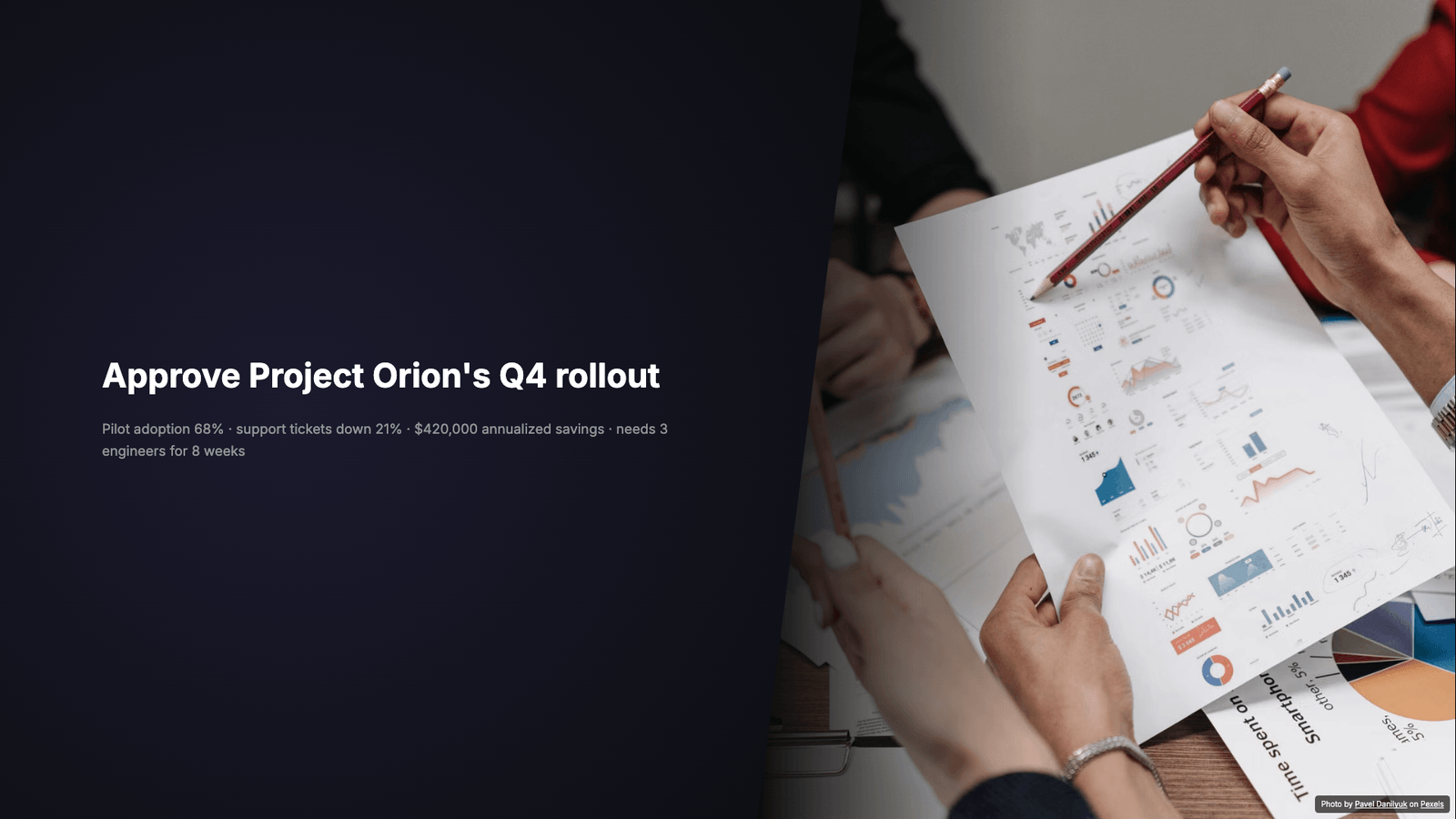
A read-only inspection of the actual PPTX package on November 4, 2026 found two text shapes and one picture on the cover slide. The metrics slide contains ten shapes, including text for “68%,” “21%” and “$420,000.” All six slides have corresponding notes parts. The package contains no chart XML files and no embedded font files.
These observations establish that the sample contains separate objects and notes. They do not establish how it renders in every PowerPoint version. Try selecting the cover title and changing its wording in your target application, then inspect the metrics and notes. The linked preview is a viewing reference, not a screenshot of a new desktop PowerPoint test.
This sample also has a narrowly scoped, previously recorded Keynote check: Keynote 14.3 imported six slides, and a PowerPoint round trip preserved their normalized slide text and six notes parts. Keynote warned that Inter was missing; no replacement was applied. That check is evidence for this file and application only. It is not a PowerPoint desktop compatibility certification or a test of every SlidesMate layout.
When does appearance matter more than object editing?
Use the image-based option for a reviewed deck when the recipient mainly needs to present or reorder finished slides. Because it captures the browser-rendered slide, it avoids asking the receiving application to reconstruct each text box and decorative effect. It also keeps the captured font appearance inside the picture, even when the recipient lacks that font.
There are still capture conditions to check. The current browser capture targets 1920 × 1080 pixels per slide. Small labels and detailed diagrams can soften when enlarged. A picture or font that has not loaded correctly before capture can affect the result. Inspect the exported file itself, especially photographs, dense labels and any edge content; the word “Pixel-perfect” is not a substitute for that review.
Choose editable export when the deck will keep changing. A proposal with an evolving staffing request is easier to maintain when its title and numbers are separate objects. The tradeoff is reconstruction: the native exporter uses fixed layout builders, and falls back from gradient backgrounds to the theme's solid background color. Browser-specific styling and layout variants may therefore differ. Make the final text changes before reviewing line wraps, alignment and slide boundaries.
What happens to notes, photographs and charts?
Speaker notes require a deliberate choice. Editable export passes the slide notes into the PPTX; image-based export currently adds only slide pictures. If the presenter needs a script, export editable and check the Notes pane in the receiving application. A viewing copy is not evidence that the notes were included.
Photographs remain photographs even in an editable deck. Their subject is not converted into editable illustration shapes. The native exporter supports PNG/JPEG data images and approved HTTPS image sources, including the configured Pexels and Unsplash hosts. Unsupported sources are skipped, and failed image additions can be skipped. If a photo is important to the argument, confirm that it appears in the downloaded deck rather than assuming that its presence in the editor proves successful export.
Do not equate editable metrics with an editable data chart. The current native exporter builds statistics from shapes and text, and structured tables from table cells; it does not create native PowerPoint chart objects with an underlying editable workbook. Orion's metric values are separate text, and its inspected package has no chart XML files. If your handoff requires changing a chart's data series in PowerPoint, create and verify a native chart there, or provide the source data alongside the deck. For the distinction between labels and data evidence, see presenting data effectively.
Will the recipient need the same fonts?
For editable text, plan for font availability. SlidesMate's native exporter writes the theme's font family names but does not embed the font files. A receiving application may substitute a missing family, changing wrapping and spacing. This is why a title that fits in the browser still needs review after export.
Microsoft's guidance on embedding custom fonts explains how supported Office applications can embed eligible fonts and how embedding can help avoid substitution. That is an additional save workflow in Office, subject to font permissions and application support; it is not a feature automatically performed by SlidesMate's export.
Agree on available fonts with the recipient, or investigate permitted embedding in their supported application. After any substitution, inspect the longest heading, bullet lists, table cells and symbols. The presentation font guide includes a font inventory and handoff resources. For an image-based deck, captured text does not need the original font to display, but any new text the recipient adds has its own font requirements.
Access and the final handoff
In the current editor, both PPTX choices require a paid plan. Trial accounts can download a watermarked PDF preview; that preview does not unlock editable PowerPoint, clean PDF or PNG export. Public sample downloads, including Orion above, are examples available to inspect and do not establish a trial account's export entitlement. See export help for the current controls and pricing for plan information.
Before handing off the file:
- Open the downloaded PPTX in the application the recipient will use. Confirm the slide order and count.
- For an editable handoff, select and revise a title, a metric and a table cell where those objects are present. Check wrapping after the edit.
- Check notes separately from visible slide text, and confirm that essential photos survived export.
- Review font substitution, small labels, contrast and reading order. Editable objects do not by themselves establish accessibility; use the accessible presentation guide.
- Send a viewing reference alongside the editable file when appearance is important, and identify which copy the recipient should revise.
To start a deck for this workflow, use the AI PowerPoint maker. Choose the handoff format around the recipient's next task, then review that downloaded file before sending it.