Decks that look like you
spent all day.
Made in minutes.
SlidesMate is an AI presentation maker. Describe the audience and the outcome you need, and it drafts a structured, editable deck with layouts and speaker notes. Refine it, present it, or export it.
100 AI credits · No credit card required
Decision brief
From scattered notes
to a clear next step
Everything you need.
Nothing you don't.
From first prompt to final export — one tool handles the full presentation workflow.
Drafts that don't feel like drafts.
AI generates a complete first draft with structured layouts and speaker notes. One prompt, zero blank slides.
Professional Templates
Starting points for pitches, reports, lectures and proposals.
Structured Visuals
Use built-in layouts for metrics, comparisons, timelines, tables, and visual summaries.
Real-time Collaboration on Business
The Business plan adds shared editing with live cursors and comments. Plus and Pro do not include collaboration.
Brand Kit
Save reusable colors and font pairs on paid plans. Pro and Business also unlock custom logos and footers.
Export Anywhere
Try a watermarked PDF during the trial. Paid plans add clean PDF, editable and pixel-perfect PowerPoint, PNG images and interactive HTML.
Private by default
Secure authentication, protected billing, and private presentations by default.
Idea to deck in minutes
Describe your idea
Type a topic, paste notes or an outline, or upload a PDF, Word, text or Markdown file.
AI builds your deck
AI creates a structured first draft with layouts and speaker notes.
Present & share
Present in the browser or share a link. Paid plans export clean PDF and editable PowerPoint; the trial includes a watermarked PDF.
Built for every audience
Investor decks, team reviews, lectures, sales pitches — one tool handles them all.
Pitch deck
Series A Fundraise
Investor update
Traction & Runway
Product roadmap
Next Two Quarters
Start with a clear style
Illustrative style directions. In the editor you can switch between built-in themes, then adjust colors and fonts to suit your brand.
Cream
Minimal Pitch
Dark
Startup Financials
Indigo
Product Launch
Coral
Brand Strategy
Lime
Sustainability
Sun
Team All-Hands
Soft
Quarterly Review
Clean
Sales Proposal
Live example
One brief, the draft it produced, and the edits it needed.
Project Orion and its figures are fictional. The brief below is the exact prompt behind the button. Alongside it is what SlidesMate generated from it in a single run on November 3, 2026, before anyone touched it, and the same deck after six review edits. Run the brief yourself to verify the complete workflow: generate, edit, export.
Input brief
Project Orion · Q4 rollout (fictional)
- Audience
- Leadership team
- Outcome
- Approve the Q4 rollout
- Supplied facts (fictional)
- 68% pilot adoption · 21% fewer support tickets · $420K annualized savings · 3 engineers · 8 weeks
- Guardrail
- Use supplied facts only; mark assumptions for review.
The guardrail tells SlidesMate to use only these numbers and to flag anything it has to assume. In this run every figure on the slides matched the brief, and the rollout plan and two of the three risks, which the brief did not supply, came back marked "to validate". Wording and design differ from run to run, so check every figure before you share a deck.
After the draft
- 01Check each figure against the brief and resolve anything marked for review.
- 02Edit wording, layouts or theme in the editor, or ask the AI to revise a slide (1 credit per request). The six edits in this example were made by a person reviewing the draft.
- 03Export: a watermarked PDF during the trial; clean PDF or editable PowerPoint on a paid plan.
Generating a deck from this brief uses 10 of the 100 trial credits.
Generated by SlidesMate · Project Orion
One run on Nov 3, 2026 · test account on the trial plan (GPT-4o-mini) · 10 credits · about 11 seconds to a saved draft · fictional data
01 / 06
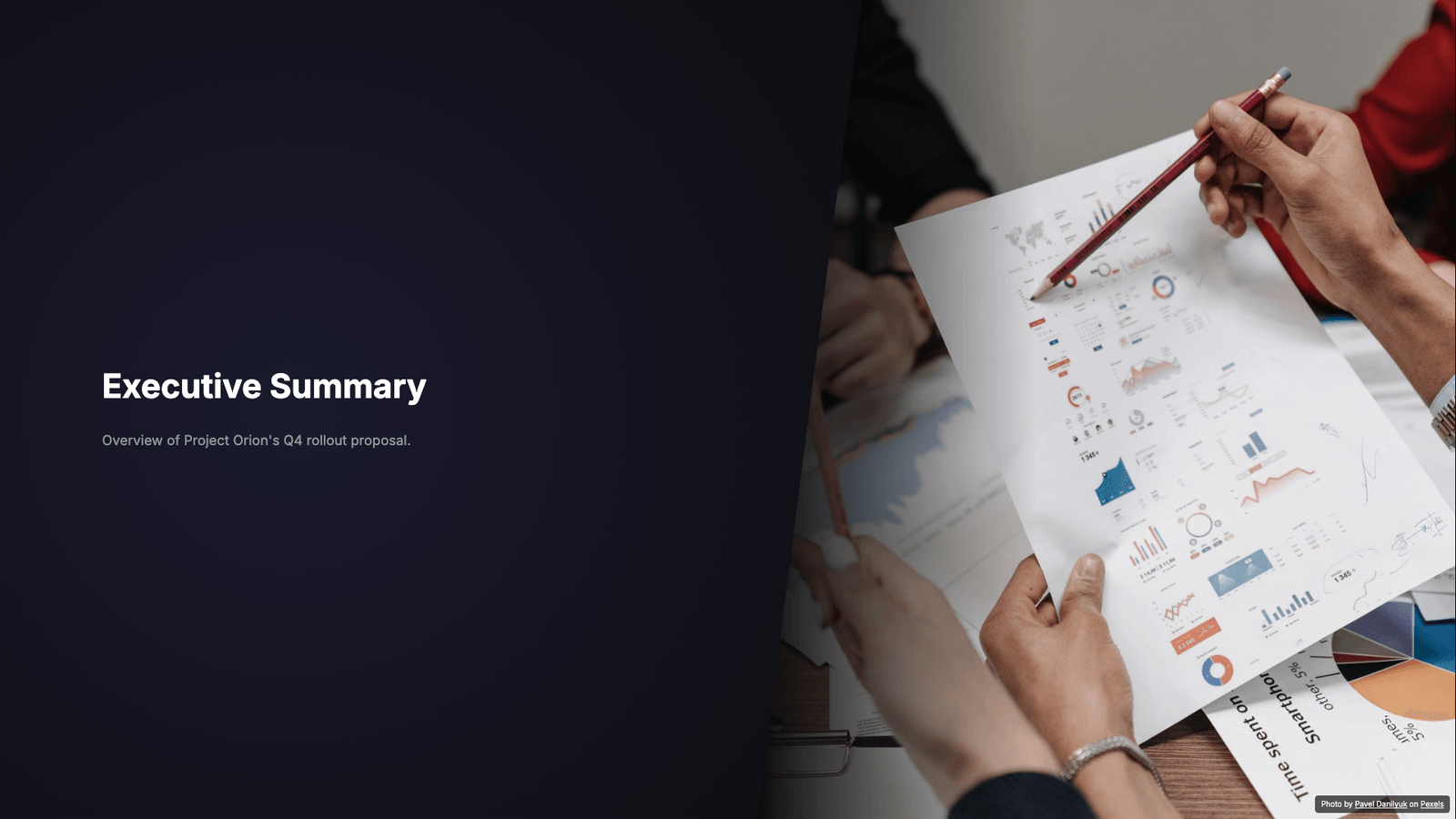
Unedited slide as SlidesMate generated it. The photo on the first slide was matched automatically from Pexels, with credit. Slides 4 and 6 (rollout plan, next steps) are in the downloads.
Generated draft (trial's watermarked PDF)Edited deck (editable PowerPoint)Edited deck (PDF)
In the app
The same session, screen by screen
Screenshots captured from SlidesMate during the Project Orion run: the brief in the create wizard, the first draft in the editor, the Remix dialog, and the trial's export dialog.
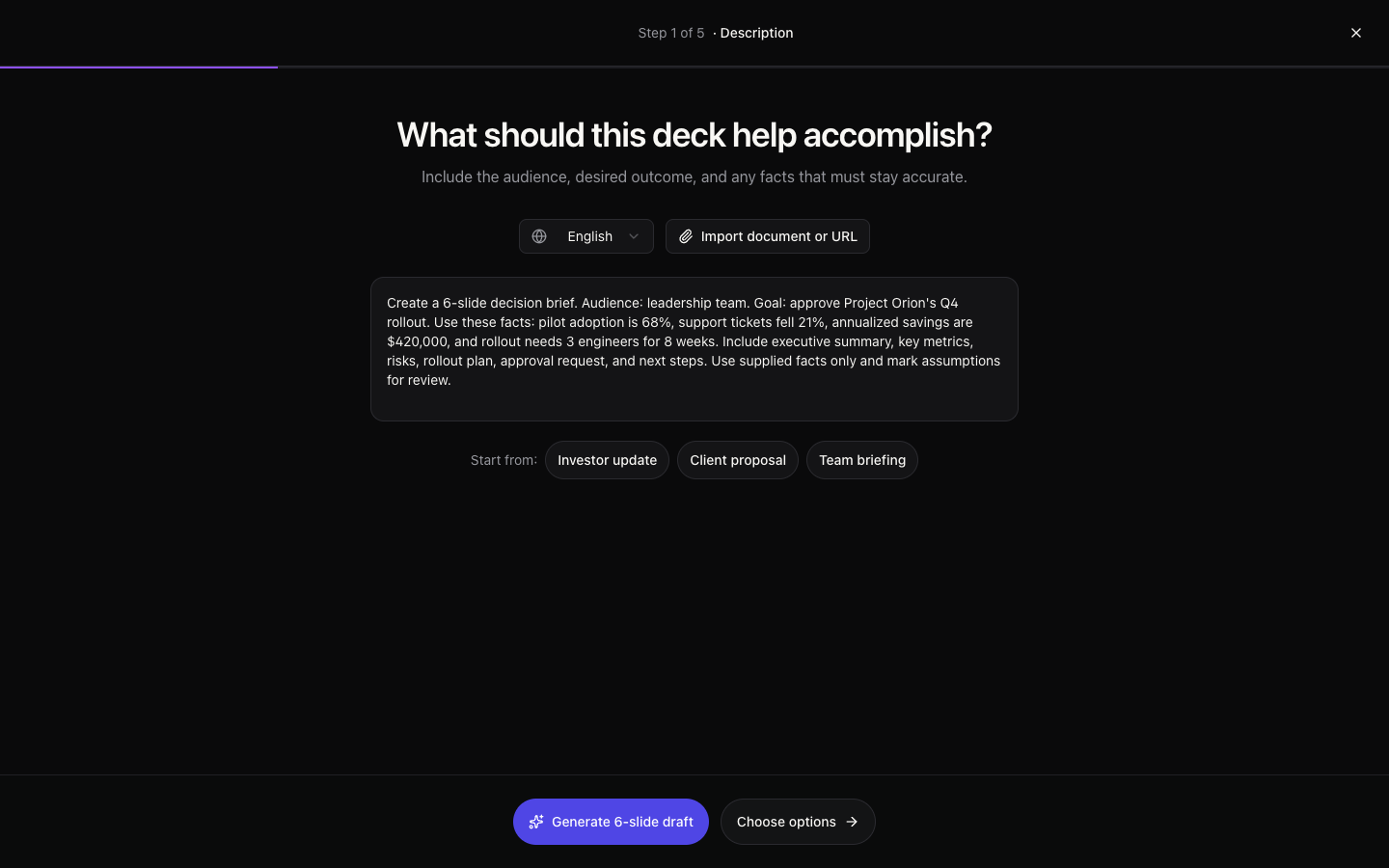
01Create. Start from a prompt, an outline, or a document or web page. The prompt path asks for a description, then slide count, audience, tone and visual style. 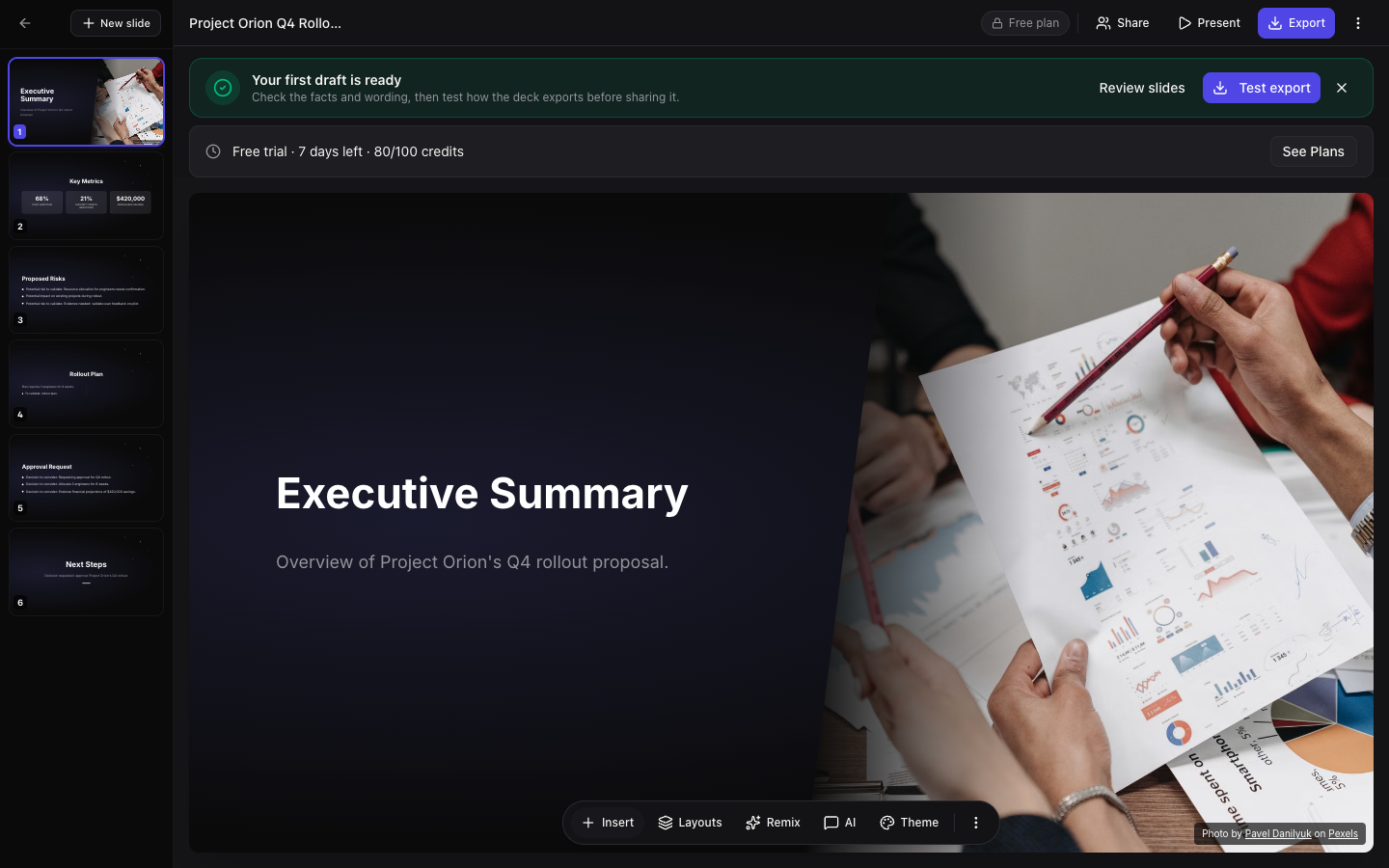
02Review and edit. The draft opens in the editor with a reminder to check facts and wording. Reorder slides in the sidebar, change layouts and themes, and keep detail in speaker notes. 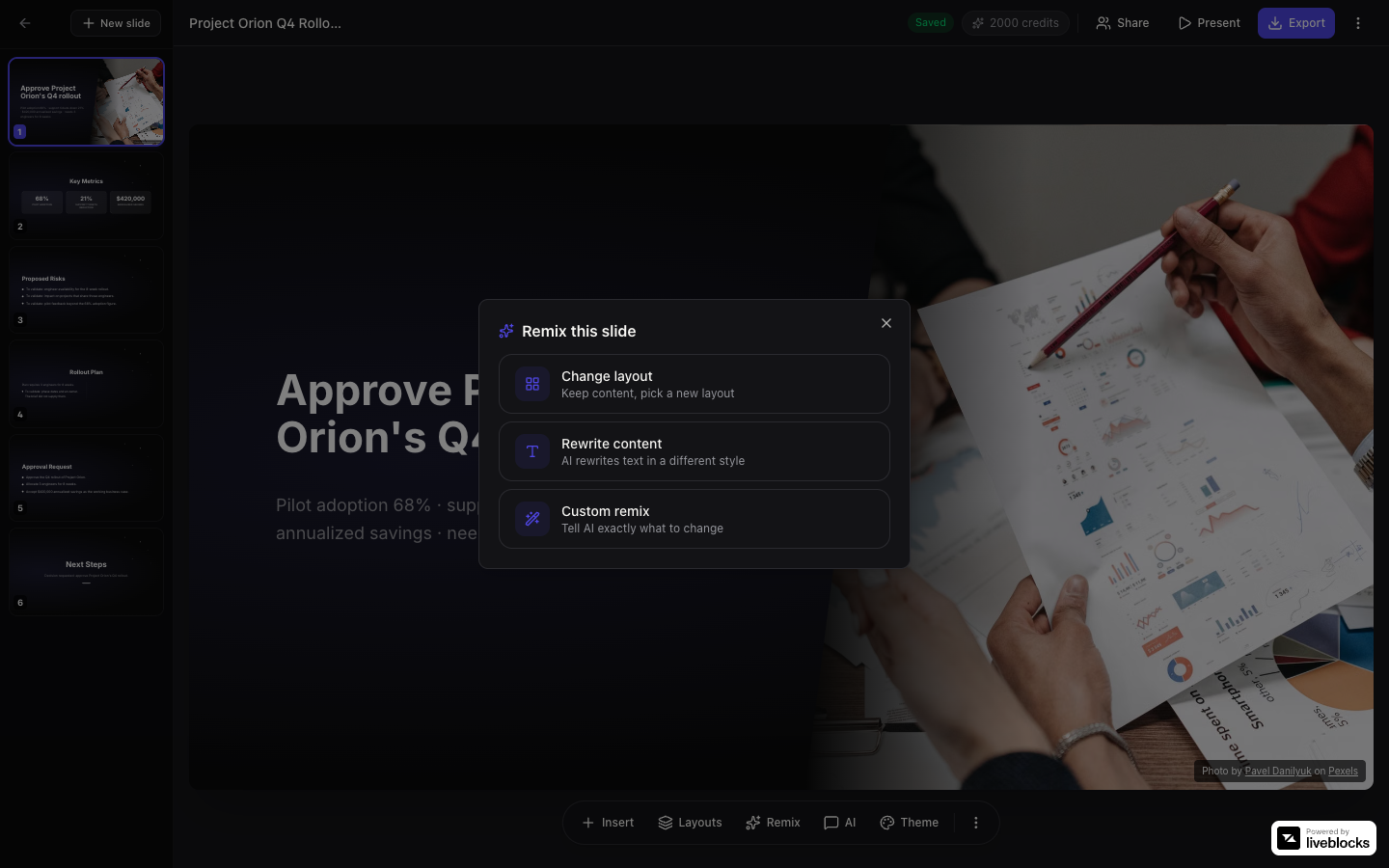
03Remix one slide. Switch to another layout and keep the content, have the AI rewrite the text, or describe a custom change. Layout changes are free; AI rewrites use 1 credit. 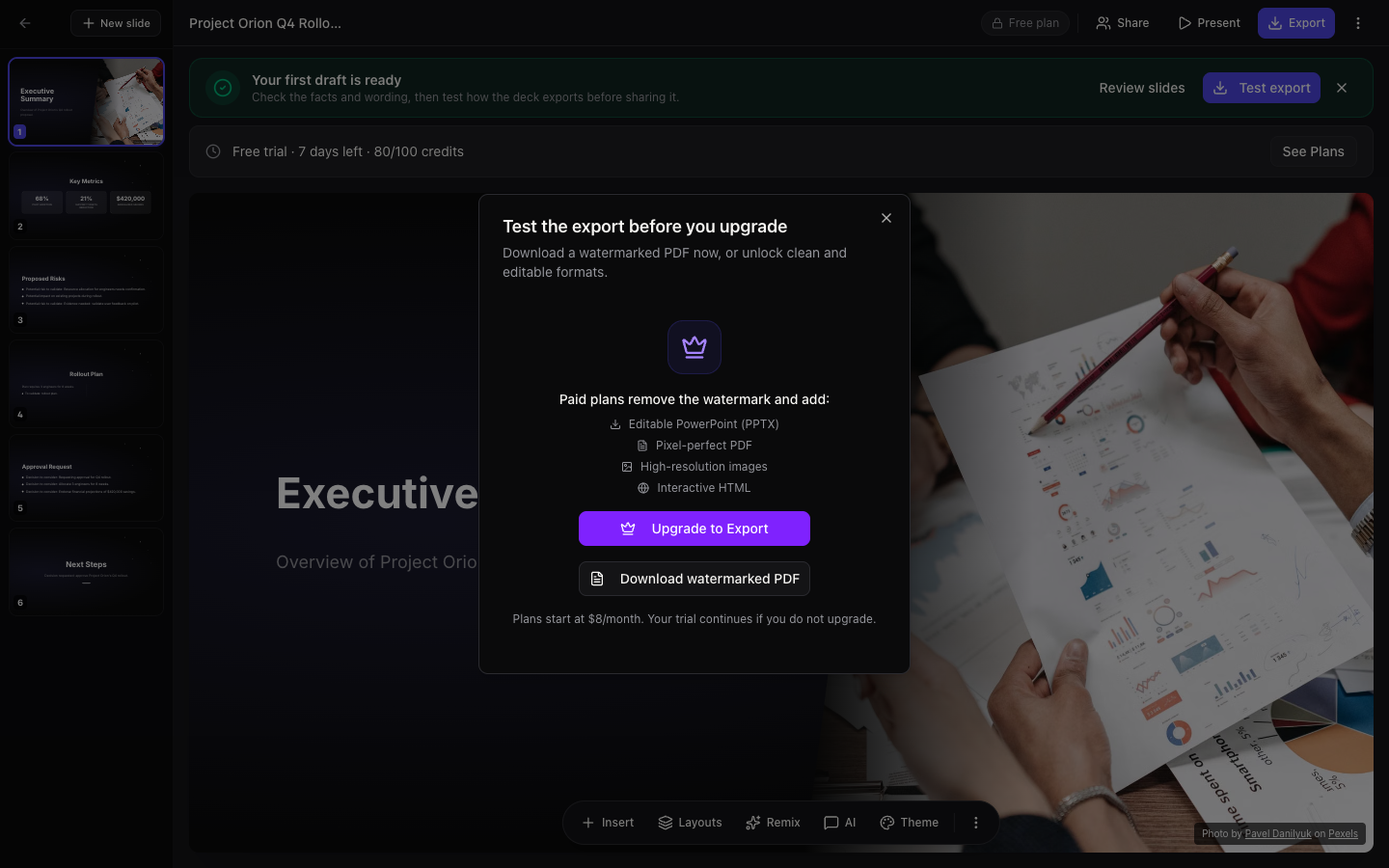
04Export. On the trial you can download a watermarked PDF. Paid plans export editable or pixel-perfect PowerPoint, clean PDF, PNG images and interactive HTML.
Built for the work that matters
Investor updates
Turn a rough outline, operating metrics, and next-quarter priorities into a clear narrative for stakeholders.
Founders and finance teams
Sales proposals
Build a tailored story around the customer's problem, your approach, and the decision they need to make.
Sales and consulting teams
Team briefings
Convert project notes into a structured update with milestones, decisions, risks, and next steps.
Product and operations teams
Simple pricing
Start with a 7-day free trial. Upgrade when you need clean exports, unlimited presentations and more AI credits.
Plus
For individuals who present regularly.
$8/mo
- Unlimited presentations
- 200 AI credits / month
- All templates
- Clean PDF and editable PowerPoint export
- Saved colors and font pairs
- Automatic stock image matching
Paid subscription · billing starts today
Pro
For professionals and growing teams.
$16/mo
- Everything in Plus
- 500 AI credits / month
- GPT-4o AI model
- Custom logos and footers
- View analytics
- Priority email support
Paid subscription · billing starts today
Business
For teams that need power and control.
$30/mo
- Everything in Pro
- 2,000 AI credits / month
- Real-time collaboration with live cursors
- Markdown API access
- Shared comments
- Priority email support
Paid subscription · billing starts today
Start with the material you have
Bring your business brief, a source document or a presentation you need to deliver in PowerPoint. Each workflow leaves room to review and edit the draft.
Build a pitch draft
Turn supplied business facts into a first investor narrative.
Use a source document
Start with text extracted from a document or public web page.
Create for PowerPoint
Choose an editable or image-based PowerPoint handoff.
Explore finished sample decks before starting, or visit the first-deck guide.
Questions?
How does the free trial work?
Create and edit up to 5 decks for 7 days with 100 AI credits — no credit card required. You can test a watermarked PDF; clean and editable exports unlock on a paid plan.
What are AI credits?
Credits are used by AI actions. Generating a full deck from a prompt, outline or document uses 10 credits; each AI chat request or AI-generated slide uses 1. If a generation fails, its credits are returned. Paid-plan credits reset at the start of each calendar month (UTC) and unused credits do not carry over.
Can I export to PowerPoint?
Yes, on any paid plan: editable PowerPoint (text, shapes and tables you can change), pixel-perfect PowerPoint, PDF, PNG images and interactive HTML. During the trial you can download a watermarked PDF to check the result before upgrading.
Is there real-time collaboration?
Yes, on the Business plan: shared editing with live cursors and comments. Plus and Pro do not include collaboration.
What happens after the trial?
The trial ends after 7 days or once the 100 trial credits are used. Your presentations stay in your account, but creating new decks and using AI require a paid plan.
Can I cancel anytime?
Yes. Cancel from account billing; you keep paid access until the end of the current billing period.
Who is SlidesMate best for?
SlidesMate is built for recurring business presentations: investor updates, sales proposals, client recommendations, and team briefings where a clear first draft saves meaningful time.
Make your numbers look like the win they are.
Start your free trial and turn your first prompt into a structured presentation.
7-day trial · 100 AI credits · No credit card